This is an end of an era. My final Cam23 post. But it's not goodbye, as the title may suggest, it's just au revoir.
May 24th 2010 saw the launch of the Cam 23 programme. On May 24th I was but a mere web 2.0 wannabe. I had dipped my toe into a lot of the 2.0 pools and adopted a few of them, but I hadn't really examined any in real depth, or had the time or the reason to.
13 weeks later, it is August 19th and I find myself with a Blog and 23 blog posts. I doubt this would ever have happened without Cam23 to push me over the blogging edge. I'd thought about blogging before, sure. But I didn't really think I had anything to say. I wouldn't say that Marsh's b(l)og has changed my life, but it has definitely given me an outlet to order my thoughts and get them down on (virtual) paper. After all, thoughts aren't much good to anyone if they stay in your head are they?I've been genuinely surprised and pleased that people have taken the time to read and comment on my posts and if I have managed to help anyone with anything in the process then that is an added bonus.
I think I will continue with Marsh's b(l)og, even if I am the only one who will benefit from it as a cathartic exercise. In the future I will enjoy choosing my own subjects and not being quite so pressed for time. Writing doesn't come naturally to me but blogging has definitely helped me with my prose and I think I should continue with that.
So which 'Things' have I adopted that I wasn't using before? As I said above, this blog. Also Slideshare and Flickr. I knew about these two Things before but hadn't looked into them in any great depth. I will use the search facility in Slideshare more often and I have created a Flikr account for myself which I intend to add to imminently. I will also try to keep Zotero going in the background.
The jury is still out about linkedin and LibrayThing. These aren't floating my boat, but at least I gave them a go...
I was already using of all the other Things, pre-23 Things, and I will carry on with those as normal. I couldn't live without my Google calendar and I am rapidly deserting Facebook for twitter which is my current Fave!
All in all though, Cambridge 23 Things has been an exercise in getting to know you! (why is this turning into a Sound of Music Fest??) I feel that I have forged some good friendships and links out there in the virtual Cam Lib community, even if some of you are still hiding behind your pseudonyms! I hope we can continue in a similar vein and I will be attending the communication meeting next week. I'm going to be working for libraries@cambridge again as of September 1st and hopefully will be in a position to help with communication across Cambridge libraries. I'm all ears!
See you in the future!
P.s. Big thanks go to the Cam 23 organising team. It's been a big effort as a participant, I can't imagine what it's been like for you guys!

Showing posts with label Google_calendar. Show all posts
Showing posts with label Google_calendar. Show all posts
Thursday, 19 August 2010


Monday, 9 August 2010
What's up doc? Sharing à la Google. Thing the Twentieth.
What choices do Cambridge University librarians have when it comes to sharing documents electronically?
I'll give you some:
We love email, there's no denying it. Why? It's been around long enough to become part of the fabric, it's default, we've been doing it for years. It's easy and reliable and we've always got our in boxes open. We even have adorable little pop ups to tell us that we've got 'new mail'. Does your heart still flutter with excitement every time you get the Thunderbird envelope appearing? Mine does... Our love affair with email is here to stay, only trouble is, email is not great for sharing large documents (especially videos files the size of Jupiter) which clog up your allocated file space, or don't arrive at all because there is no space left. Email also doesn't facilitate collaborative editing. Why should it? It was never meant to.
So what do we do when we want to share a document that you want to stay in one place, be available to everyone you want it to be available to, and be 'real-time' edited by everyone you want it to be edited by?
Camtools maybe? Hmmmmm. We have a Cambridge Librarians site that offers all of the above, plus: a large members list (150 at last count); a forum; space to share documents; a calendar; Raven log in. It's our VLE. But why don't we favour it? Why don't we use it? My guess is because it's just not intuitive. It isn't easy to use and doesn't spread like warm butter on hot toast, and let's face it, that's what we want our applications to do nowadays. We want the email equivalent of the 'shared document space'. In other words, part of the fabric, easy and reliable.
This is where Google docs seems to have succeeded amongst our Cam Lib community. In a recent meeting I took part in, I suggested CamTools for a collaborative space but was met with 'oh no'. Google docs. was mentioned and that got an 'ohhhhhh yes'. It seems to me that Google docs is becoming our new 'fav'. Why is that? I think because we've reached that point on Roger's Adoption Graph where enough of us are using Google docs to make it a valid possibility for a shared space. It's had enough publicity and word of mouth to spread the adoption rate which is what is lacking in CamTools and Google Apps for Cambridge. Google Wave didn't even pass go. It splashed when it was first launched but has since crashed on the shore.
One word of warning about Google docs though. It's fine for creating and using documents within its own interface, but when it comes to importing and exporting from Microsoft Office, I have come across significant issues with formatting. It has the ability to drastically change the layout of your document, so if you are precious about your formatting and don't want to spend hours revamping, Caveat emptor.
I'll give you some:
- the ol' fave e-mail (ah bless its little cottons)
- CamTools
- Google docs
- Google Wave (oops, sorry, no more, gone the way of the dodo)
- Google Apps for Cambridge (yes, there is one)
 |
A Nice Pair (Father and Daughter) by Mike Cattel |
So what do we do when we want to share a document that you want to stay in one place, be available to everyone you want it to be available to, and be 'real-time' edited by everyone you want it to be edited by?
Camtools maybe? Hmmmmm. We have a Cambridge Librarians site that offers all of the above, plus: a large members list (150 at last count); a forum; space to share documents; a calendar; Raven log in. It's our VLE. But why don't we favour it? Why don't we use it? My guess is because it's just not intuitive. It isn't easy to use and doesn't spread like warm butter on hot toast, and let's face it, that's what we want our applications to do nowadays. We want the email equivalent of the 'shared document space'. In other words, part of the fabric, easy and reliable.
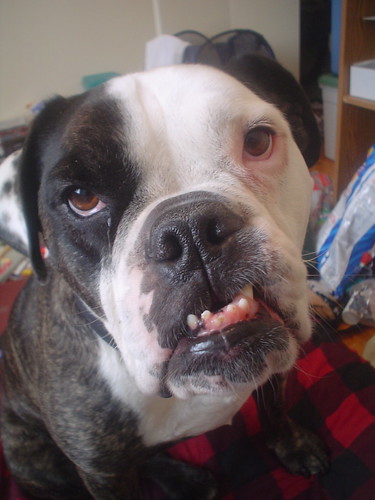 |
Churchill by |
One word of warning about Google docs though. It's fine for creating and using documents within its own interface, but when it comes to importing and exporting from Microsoft Office, I have come across significant issues with formatting. It has the ability to drastically change the layout of your document, so if you are precious about your formatting and don't want to spend hours revamping, Caveat emptor.
Wednesday, 16 June 2010
Share and share alike. Google Calendar, or Thing 6.

I spent a good couple of months thinking that Ange, aka, Beauty_school_dropout could see my calendar when all the time she couldn't. DOH! I had accepted her 'sharey' email and had added her calendar to mine by going to 'other calendars' and 'add a friend's calendar'. I thought that doing all this would automatically give her access to mine. Nope. Dope.

It should be easy to share and I think it probably is. I've just lost the plot a little here. This should have been an easy post to write but for some reason it's been the road to hell. I'm still a little confused about sharing to tell you the truth and writing this was supposed to help me sort out these issues, but it didn't really. Ah well, road block, writers block, whatever you call it. Move around it and start anew. Thing 7 here we come...
Subscribe to:
Posts (Atom)